

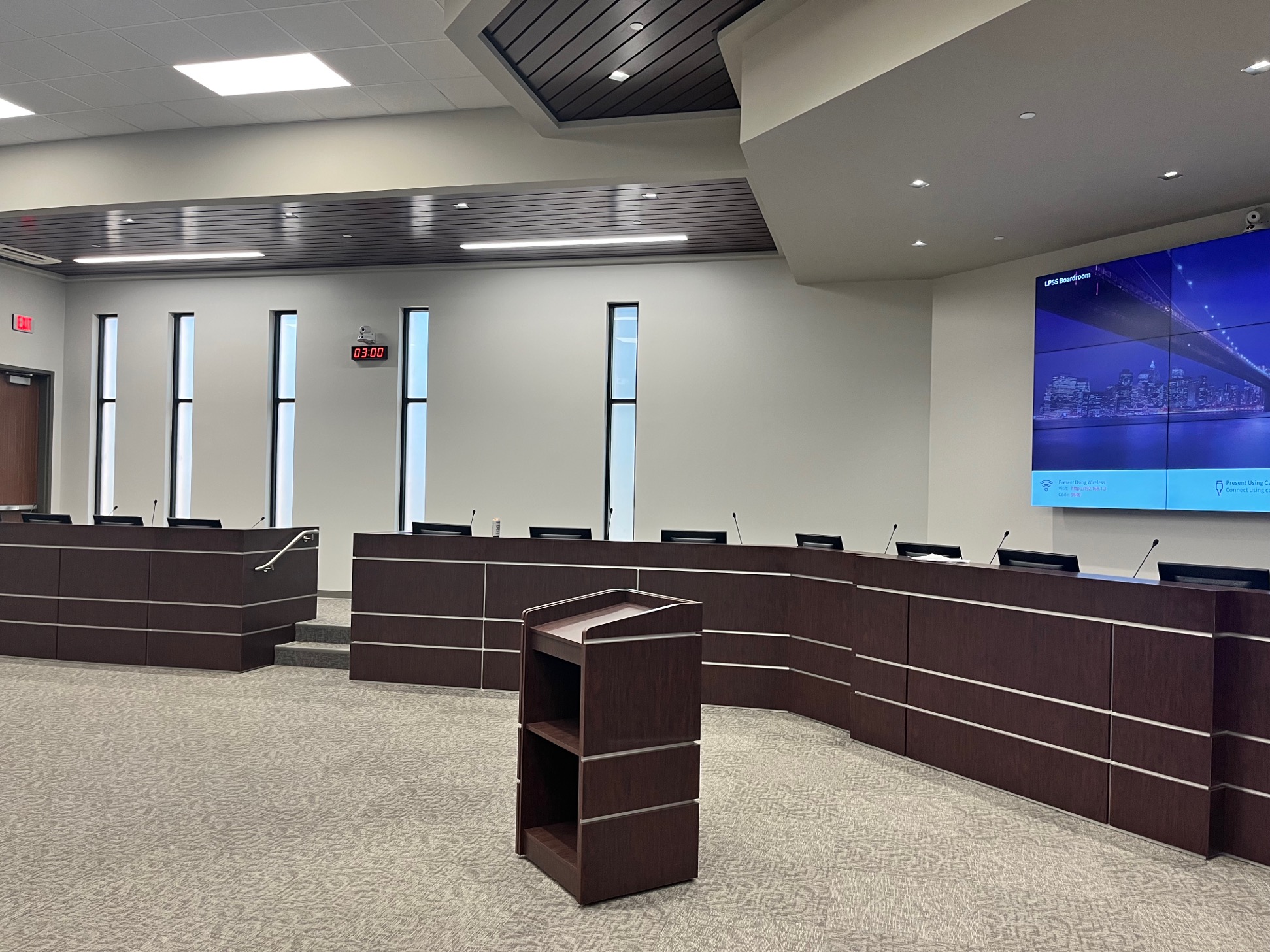
A council chamber is not an ordinary conference room. Council chamber technology must do more than help people hear a presentation or join a video call. It must support formal meeting procedures, manage who can speak, document motions and votes, organize agendas, create an accurate public record and make proceedings accessible to citizens inside and outside the room.
When those functions are assembled from unrelated products, staff members often end up managing several disconnected systems during every meeting. Microphones may operate separately from the voting platform. Cameras may require manual control. Agenda documents, recordings and meeting notes may live in different places. The individual components may work, but the overall meeting workflow does not.
A properly designed council chamber system brings those functions together. Go Media designs and integrates complete audio-visual solutions for local governments and municipalities built around the way city councils, boards, commissions and other public bodies actually conduct business.
Request-to-Speak Systems and Controlled Discussion
Clear audio is only the beginning. In a formal meeting, the chairperson must also be able to recognize speakers, maintain order and follow a visible request-to-speak queue.
With a request-to-speak system, council members can signal that they wish to address the meeting without interrupting another participant. The chairperson can view the order of requests, approve the next speaker and assign priority when needed.
The system can automatically identify the active microphone, while participants receive a clear indication of whether they are waiting, approved to speak or currently live.
This creates a more orderly meeting for participants and a more understandable experience for the public. It also gives the room operator an accurate source of speaker information for room displays, recordings and automated camera tracking.
Electronic Voting, Motions and Attendance Tracking
Electronic voting systems replace verbal roll calls and manual vote counting with a faster and more transparent process. Authorized participants can cast votes directly from their assigned seats, and results can be displayed in the chamber, recorded with the meeting data or presented to viewers watching online.
Depending on the council chamber system design, members can authenticate at a seat using an assigned profile or identification credential. This allows the platform to associate attendance, speaking permissions and voting rights with the correct participant.
The chairperson or clerk can open and close voting sessions, confirm results and maintain an accurate record of each decision.
A fully integrated meeting system can support:
- Participant attendance and authentication
- Quorum tracking
- Motions and agenda items
- Electronic voting sessions
- Vote result displays
- Meeting records and reports
Because these functions work together, staff members do not have to enter the same information into multiple applications.
Purpose-built platforms such as Televic’s civic conference and electronic voting systems are designed specifically for the procedural and communication needs of city councils.
Agenda Management, Documents and Meeting Minutes
Council meetings generate a large amount of information before, during and after each session. Agendas must be prepared and distributed. Supporting documents must be available to participants. Motions, speakers and votes must be associated with the correct agenda item. After the meeting, staff must prepare minutes and preserve the official public record.
Meeting-management software can organize the agenda and help staff move through each item in sequence. Relevant documents can be made available to authorized participants while the operator or chairperson maintains control of the meeting.
Speaker activity, voting events and other time-stamped actions can then support the preparation of meeting minutes and make it easier to locate the corresponding point in an audio or video recording.
This does not necessarily replace the clerk or fully automate the preparation of official minutes. Instead, it creates a better-organized source record that reduces manual work, improves accuracy and makes the final minutes easier to prepare and verify.
Council Chamber Recording, Camera Tracking and Livestreaming
Public meetings increasingly need to serve three audiences at once: participants inside the chamber, remote attendees and citizens watching a live or archived stream. That makes the integration of professional audio systems and professional video solutions especially important.
When the discussion system is integrated with room cameras, activation of a participant’s microphone can automatically recall the appropriate camera position. The video system can frame the active speaker, switch between participants and provide a polished program feed without requiring a camera operator for every meeting.
High-quality meeting audio can be recorded along with time-stamped events such as microphone activation, participant identification and voting activity.
Depending on the selected platform and configuration, a council chamber recording system may support:
- Multi-channel audio recording
- Video recording
- Automated camera tracking
- Closed captions
- Meeting transcription workflows
- Livestreaming
- Connections to public meeting archives
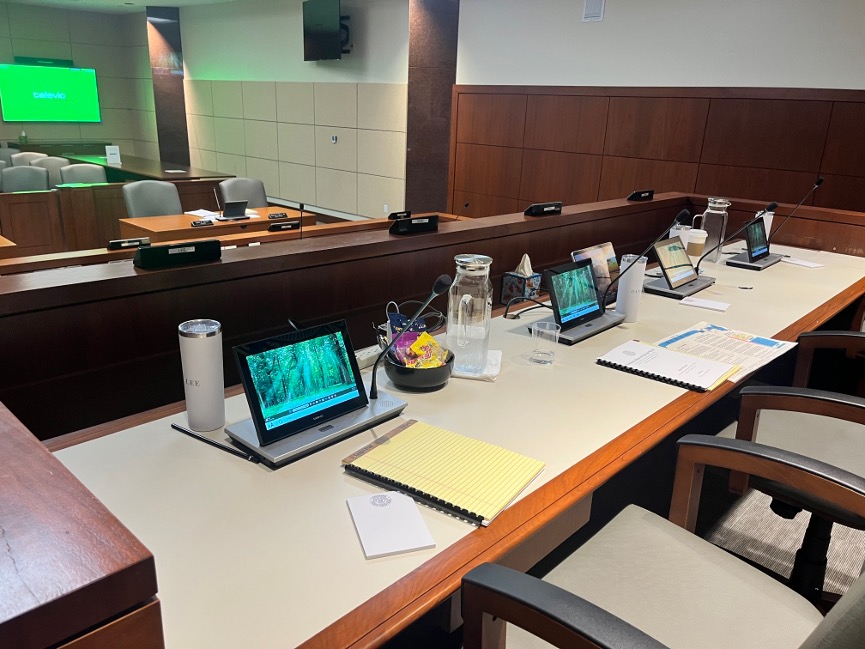
Televic council chamber installations can integrate conferencing, electronic voting, camera tracking, recording and livestreaming into a coordinated system. One example is this Televic city council conferencing case study, which demonstrates how voting, meeting management, recording and streaming can work together.
Every council has different policies for records retention, public access and official documentation. The recording and streaming workflow should therefore be designed around the agency’s legal and operational requirements rather than treated as an afterthought.
Public Participation, Accessibility and Hybrid Meetings
Council chamber technology should make public proceedings easier to follow, not create another barrier. That includes clear sound reinforcement inside the room, intelligible audio for recordings, readable displays and accommodations for people who need assisted listening or interpretation.
An integrated system can also support public-comment microphones, timed speakers, remote participants and hybrid meeting platforms.
Proper integration helps everyone hear the same discussion and ensures that remote contributions become part of the managed meeting rather than an improvised side conversation conducted through a laptop.
Why Go Media Specializes in Televic Conference Systems
Go Media works extensively with Televic Conference council chamber systems, which are designed for formal and managed meeting environments such as city council chambers, government authorities, courtrooms, parliaments and institutional boardrooms.
Televic conference systems can combine high-quality delegate microphones with request-to-speak management, participant identification, electronic voting, agenda control, recording and automated camera workflows.
Solutions can be configured for:
- Permanent wired council chamber installations
- Flexible tabletop meeting systems
- Wireless conference applications
- Hybrid and remote meeting environments
For flexible council chambers and multipurpose meeting spaces, the Televic Confidea FLEX wireless conferencing system can support features such as participant authentication, electronic voting and configurable chairperson or delegate controls.
Televic systems are designed around the procedures of a formal meeting. The chairperson can manage the speaker request list, agenda, voting sessions and recordings from a coordinated platform rather than relying on a collection of unrelated devices.
Go Media has specialized experience designing, programming and deploying Televic systems for government meeting environments. Our role extends beyond supplying conference units. We coordinate the discussion and voting platform with displays, cameras, professional audio, recording, livestreaming, centralized AV control systems, furniture and the supporting network infrastructure required for reliable operation.
That experience matters because every council chamber operates differently. The technology must reflect the agency’s meeting rules, seating arrangement, staffing model, public-participation process and records requirements.
A system may be powerful, but it will still create frustration for clerks, chairpersons and council members if it does not match the organization’s actual meeting workflow.
Planning a New Council Chamber or Modernizing an Existing One
A council chamber project should begin with the meeting process, not a product list. Go Media follows a comprehensive AV design and installation process that considers the room, its users and the agency’s operational requirements before equipment is selected.
During the planning and system-design process, Go Media evaluates:
- The number and location of council members, staff and public participants
- How speakers request recognition
- How the chairperson controls discussion
- Attendance, authentication, quorum and voting requirements
- Agenda, document and meeting-minutes workflows
- In-room sound reinforcement
- Assisted-listening and accessibility requirements
- Camera coverage and automated speaker tracking
- Recording, livestreaming and archiving requirements
- Remote participation and video conferencing
- Existing furniture, cabling and network infrastructure
- Room control and automation systems
- Future expansion, serviceability and staff training
- Long-term technical support
Some projects require a completely new council chamber system. Others can retain useful displays, cameras, speakers, amplifiers, furniture or infrastructure while replacing the systems that manage discussion, voting and meeting records.
The right approach depends on the condition of the existing technology and how well it can integrate with the new meeting workflow.
Government agencies can also learn more about Go Media’s Louisiana State and Federal government contracts, which may help streamline the procurement of qualifying AV systems and technology services.
Whether your agency is planning a new government facility or upgrading a council chamber that has become difficult to operate, Go Media can help develop a system that makes meetings clearer, more efficient and easier for the public to access.
Build a Council Chamber Around the Meeting
Modern council chamber technology should support the entire lifecycle of a public meeting, from agenda preparation and participant identification to discussion, electronic voting, recording and final documentation.
With experienced audiovisual system design and a purpose-built platform such as Televic, those functions can work together as one coordinated environment. Council members can focus on the business before them, staff can manage the meeting with confidence and citizens receive a clearer and more transparent view of local government in action.
Go Media provides council chamber design, Televic conference systems, professional audio and video, electronic voting, automated camera tracking, recording, livestreaming and integrated room control for government clients throughout Louisiana and the Gulf Coast.
View Go Media’s audio-visual project portfolio to see examples of integrated technology installed in real-world meeting, education, corporate and public environments.
Frequently Asked Questions About Council Chamber Systems
What technology is typically included in a modern council chamber?
A modern council chamber may include delegate microphones, request-to-speak controls, electronic voting, participant identification, agenda-management software, professional audio, room displays, automated cameras, recording, livestreaming, assisted-listening systems and centralized room control.
Can an existing council chamber be upgraded without replacing everything?
Yes. Displays, speakers, cameras, furniture, amplifiers, cabling and other infrastructure may be retained when they are compatible with the new system. Go Media evaluates the existing equipment before recommending what should be reused or replaced.
How does automated camera tracking work in a council chamber?
When a participant activates an assigned microphone, the meeting system sends information to the video-control system. The appropriate camera can then move to a preset position and frame the active speaker automatically.
Can council chamber systems record votes and attendance?
Yes. Depending on the selected system, authorized members can authenticate at their seats, register attendance and cast electronic votes. Voting results can be shown on room displays, included in meeting records and shared with livestream viewers.
Can council chamber meetings be livestreamed?
Yes. Professional audio, room cameras and meeting information can be combined into a livestream for the public. The system may also connect with the municipality’s preferred streaming, captioning and meeting-archive platforms.
Does Go Media install Televic council chamber systems?
Yes. Go Media designs, programs and integrates Televic conference systems with professional audio, video, electronic voting, recording, streaming, room control and supporting network infrastructure.
Plan Your Council Chamber System with Go Media
Planning a new council chamber or an upgrade to an existing meeting system? Talk to Go Media about a solution designed around your meeting procedures, staff workflow, technology requirements and public-access needs.