

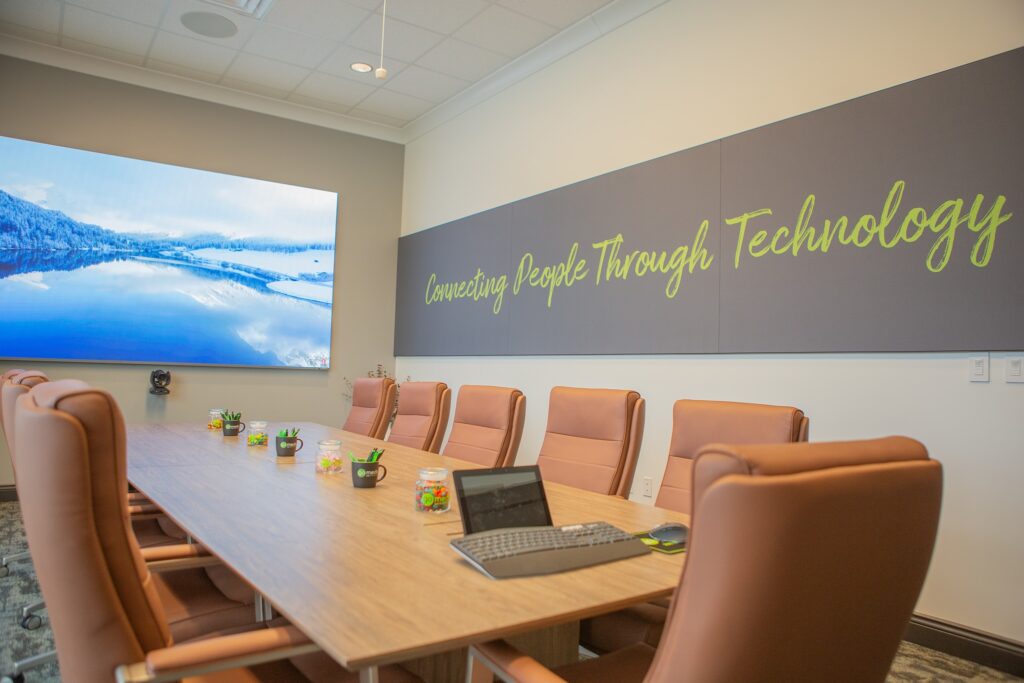
When businesses invest in video conferencing technology, the focus is often placed on cameras, microphones, and displays. High-resolution cameras and advanced tracking features are often seen as the key to improving video quality.
However, in practice, the most important factor is frequently overlooked:
Lighting.
At Go Media, we routinely evaluate conference rooms where organizations have invested heavily in AV equipment but continue to struggle with poor on-camera performance. In many cases, the root cause is not the camera—it is the lighting environment.
Just as poor acoustics can undermine even the best audio system, poor lighting can limit the performance of even the most advanced camera.
What Role Does Lighting Play in Video Quality?
A camera’s job is to capture and interpret light. Without proper lighting, even high-end equipment struggles to produce a clear and consistent image.
In poorly lit environments, cameras compensate by:
- increasing gain (which introduces noise and grain)
- adjusting exposure (which can wash out backgrounds or darken faces)
- shifting color balance (resulting in unnatural skin tones)
The result is a video image that appears unprofessional, inconsistent, and difficult to engage with.
At Go Media, lighting design is approached as a foundational component of the AV system. By establishing proper lighting conditions first, the rest of the system is able to perform at its full potential.
Common Lighting Challenges in Conference Rooms
Many conference rooms are designed with general-purpose lighting in mind, not video performance. As a result, several common issues arise.
Overhead-Only Lighting
Standard lighting layouts—such as fluorescent fixtures or LED 2×2 panels—are designed to evenly illuminate a space from above.
While effective for visibility, this approach creates:
- shadows beneath the eyes and chin
- uneven facial illumination
- harsh contrast that reduces clarity on camera
These conditions make participants appear less defined and more difficult to see during video calls.
Go Media frequently replaces or supplements overhead-only lighting with layered solutions that improve facial visibility while maintaining overall room balance.
Backlighting from Windows
Natural light can enhance a space, but when windows are positioned behind participants, they create a strong backlight.
This causes cameras to:
- expose for the bright background
- underexpose the subject
The result is a silhouetted appearance that reduces visibility and engagement.
Through proper layout planning, shading solutions, and balanced front lighting, Go Media helps eliminate these issues while preserving the benefits of natural light.
Inconsistent Color Temperature
A mix of lighting sources—such as warm interior lighting combined with cooler daylight—can create conflicting color temperatures within the same space.
This leads to:
- inconsistent skin tones
- color shifts during meetings
- a lack of visual uniformity across participants
Maintaining a consistent color temperature is essential for a natural and professional appearance. Go Media designs lighting systems with controlled and consistent output to ensure predictable results on camera.
Uneven Lighting Distribution
In many rooms, lighting is not evenly distributed across the table or seating areas.
This results in:
- some participants appearing well-lit
- others appearing dim or shadowed
From a video perspective, this inconsistency creates a disjointed and less professional presentation.
By evaluating seating layouts and camera angles, Go Media ensures that lighting is evenly distributed across all participants—not just the center of the room.
What Defines Effective Lighting for Video Conferencing?
Lighting designed for video environments focuses on people—not just the room itself.
Key characteristics include:
- Even, diffused illumination across faces
- Light positioned from the front or at controlled angles
- Consistent color temperature (typically in the 3500K–4000K range)
- Balanced ambient and background lighting
When these elements are properly implemented, the camera is able to produce a stable, high-quality image with minimal correction.
Go Media incorporates these principles into every conference room design, ensuring that spaces are optimized for both in-person use and on-camera performance.
Why Standard Office Lighting Falls Short
Traditional office lighting systems are engineered for efficiency, cost, and general illumination—not for camera performance.
Fixtures such as:
- fluorescent troffers
- LED panel lights
- standard recessed downlights
are designed to meet brightness requirements, but they do not account for:
- facial lighting angles
- shadow control
- camera exposure behavior
As a result, spaces that appear well-lit in person often perform poorly on camera.
Go Media bridges this gap by designing lighting systems specifically for video environments, rather than relying on standard office lighting alone.
Go Media’s Approach to Lighting Design
At Go Media, lighting is treated as a critical component of the overall AV system—not a separate or secondary consideration.
Our approach focuses on designing lighting solutions that enhance both the physical space and its performance on camera.
This may include:
- Indirect lighting to create soft, even illumination
- Linear fixtures positioned to improve facial lighting
- Wall wash lighting to balance backgrounds
- Targeted front-fill lighting for key seating areas
In many retrofit environments, we are also able to implement low-voltage LED lighting systems, which can often be installed without requiring new high-voltage electrical work.
This approach provides several advantages:
- reduced installation complexity
- minimal disruption to existing ceilings and infrastructure
- faster project timelines
- greater flexibility in fixture placement
Each design is tailored to the specific layout, materials, and use case of the space, allowing lighting improvements to be implemented efficiently—even in fully finished environments.
Integrated Control for Multi-Use Spaces
Lighting becomes even more effective when integrated with the broader AV and control system.
With programmed lighting scenes, a room can adapt instantly to different use cases:
- Presentation Mode – optimized for in-room viewing
- Video Conferencing Mode – balanced lighting for on-camera clarity
- Collaboration Mode – even distribution across all participants
Go Media integrates lighting with control platforms to ensure these transitions are seamless and consistent.
Why Lighting Matters for Communication
In video conferencing environments, visual clarity directly impacts communication.
Proper lighting improves:
- facial visibility and expression
- engagement during meetings
- overall professionalism in client-facing interactions
As remote and hybrid work continue to play a larger role in business operations, the quality of on-camera presentation becomes increasingly important.
The Foundation of Effective Video
The most advanced camera cannot compensate for poor lighting conditions.
Lighting establishes the foundation upon which all other video technology depends. When it is properly designed, every component—from cameras to displays—performs at a higher level.
Ready to Improve Your Space?
If your conference room relies primarily on overhead lighting and does not perform well on camera, the issue is not uncommon—and it can be corrected.
Go Media designs integrated AV and lighting systems—including low-voltage retrofit-friendly solutions—that ensure your space looks as professional on camera as it does in person.
Contact our team to schedule a consultation and learn how lighting can transform your video conferencing environment.